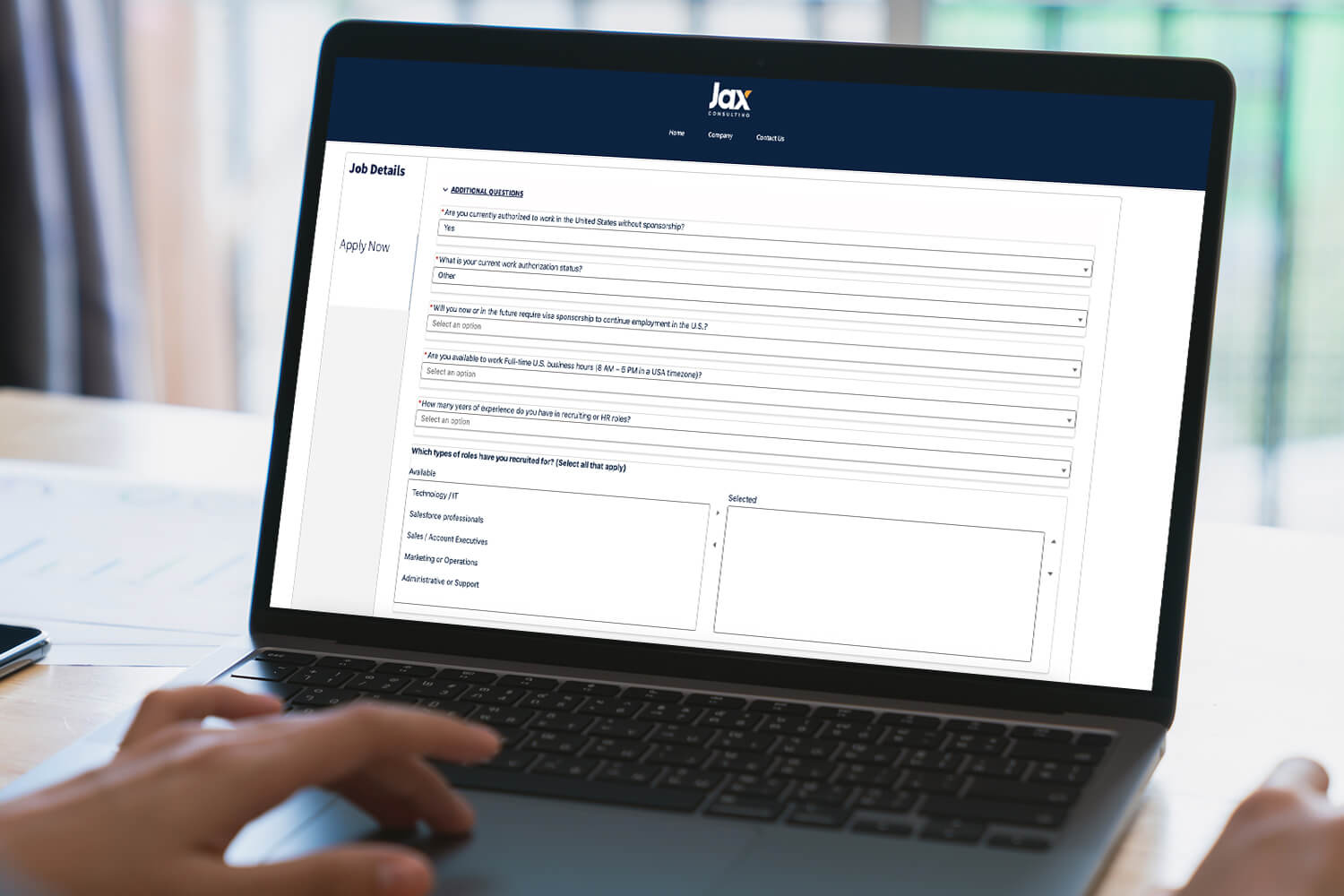
SALESFORCE-NATIVE FORM BUILDER , NO CODE REQUIRED
Revecast Forms delivers sophisticated form-building capabilities directly inside Salesforce. Create dynamic forms with conditional logic, progressive profiling, multi-step workflows, and real-time Salesforce integration, all without code. Perfect for admissions applications, RFI forms, customer intake, event registration, and any data capture workflow that needs to adapt to user responses.
Antioch University: Accelerating Education Cloud with Flexible Forms
Antioch University uses Revecast Forms alongside Salesforce Education Cloud to support its Recruitment & Admissions (R&A) processes. While Education Cloud provides a strong foundation, admissions workflows often require frequent updates to application and intake forms as programs, requirements, and policies evolve.
Revecast Forms enabled Antioch to configure Education Cloud quickly—covering the majority of core requirements—while giving the team a flexible way to create and modify dynamic forms without slowing down implementation or ongoing operations. As a result, Antioch reduced time to launch, simplified ongoing changes, and kept admissions teams responsive without heavy rework.

DYNAMIC FORMS BUILT FOR REAL-WORLD WORKFLOWS
Forms That Adapt to User Responses
Build forms that respond intelligently to user input. Show or hide fields, skip sections, and branch to different question paths based on responses, creating personalized experiences that reduce abandonment and improve data quality.
Conditional logic features of our Salesforce form builder include:
Shorter Forms, Better Data
Don’t overwhelm users with 50 questions at once. Progressive profiling shows only the fields you need now, then collects additional information on return visits. This approach improves form completion rates while building richer profiles over time.
Progressive profiling benefits include:
Guide Users Through Complex Processes
Transform lengthy forms into guided multi-step workflows. Show progress indicators, allow users to save and return, and provide clear navigation, making even complex application processes feel manageable.
Multi-step capabilities include:
Real-Time Salesforce Integration
Revecast Forms lives inside Salesforce, so data flows directly into standard or custom objects in real time. No middleware. No export/import. No data loss. Just instant, reliable data capture with all the power of Salesforce automation behind it.
Integration features of our Salesforce form builder include:
COUNTLESS SPECIALIZED & CUSTOMIZABLE USE CASES
-

 Admissions & Application Forms:
Create sophisticated admissions applications with application checklists, document upload tracking, recommendation requests, and real-time status updates—all inside Salesforce Education Cloud.
-
Event Registration & Management:
Build event registration forms with session selection, dietary preferences, accessibility needs, and payment integration. Track registrations, send confirmations, and manage capacity limits—all within Salesforce.
-
Customer Intake & Onboarding:
Create customer intake forms that capture requirements, collect documentation, and trigger onboarding workflows. Integration with Revecast Extract allows automatic processing of uploaded documents.
-
Admissions & Application Forms:
Create sophisticated admissions applications with application checklists, document upload tracking, recommendation requests, and real-time status updates—all inside Salesforce Education Cloud.
-
Event Registration & Management:
Build event registration forms with session selection, dietary preferences, accessibility needs, and payment integration. Track registrations, send confirmations, and manage capacity limits—all within Salesforce.
-
Customer Intake & Onboarding:
Create customer intake forms that capture requirements, collect documentation, and trigger onboarding workflows. Integration with Revecast Extract allows automatic processing of uploaded documents.
BUILT FOR POWER USERS, DESIGNED FOR SIMPLICITY
No-Code Form Builder
Drag and drop fields, configure logic, and style forms without writing code.
Mobile Responsive
Forms work perfectly on any device with automatic mobile optimization.
Accessibility Compliant
WCAG 2.1 AA compliant forms ensure accessibility for all users.
Translation Support
Multi-language forms with automatic translation and locale detection.
Analytics & Reporting
Track completion rates, abandonment points, and form performance with built-in dashboards.
SALESFORCE FORM BUILDER FAQs
Can Revecast Forms replace our current form solution?
If you’re using external form tools like JotForm, Typeform, or Formstack, Revecast Forms offers the same capabilities natively inside Salesforce, eliminating integration complexity and data sync delays.
Do forms require Salesforce licenses for users?
No. Public-facing forms can be accessed by anyone without a Salesforce license. Internal forms leverage existing Salesforce user licenses.
Can I customize the look and feel of forms?
Yes. Revecast Forms support custom CSS, branding, and themes to match your organization’s visual identity.
How do forms handle data validation?
Revecast Forms supports real-time validation including format checking (email, phone), required fields, conditional requirements, range validation, and custom validation rules.
Can forms integrate with payment processors?
Yes. Revecast Forms integrates with Stripe, Square, and other payment processors for form-based transactions.
Is there a limit to form length or complexity?
There are no hard limits. Forms can have hundreds of fields across multiple steps with complex conditional logic.
REAL RESULTS FROM REAL ORGANIZATIONS

“The automated schedules are exactly what we were looking for to make this easier and less time-consuming. Your team was fantastice to work with and has been very responsive to questions.”
John Mactaggart

“I couldn’t imagine trying to do this without your help to make it easier and organized. Thank you!”
Joe Andrew
READY TO REDUCE COSTS AND
ACCELERATE REVENUE?
Whether you’re struggling with revenue leakage, manual recruiting workflows, disconnected systems, or document-heavy processes, Revecast can help. Schedule a demo to see how our platform delivers measurable results in weeks, not months.